From first contact to your e-invoice.

Find clients, plan projects, track time and send invoices. One app for independent work.

Type or speak. Klausi helps you capture and organise your work.

See how it works

Tap to explore. Tap again or press Esc to reset.

New business → Project → Invoice

From your offer to a paid invoice.

A contact becomes a client. Organise the work, track your hours and turn them into an invoice.

You decide.
Klausi helps.
  1. 01 / NEW BUSINESS

    Keep track of your offer and next step.

    Add a deal, enter its value and schedule your follow-up.

    1. Enquiry
    2. Offer
    3. Job
  2. 02 / PROJECTS & TIME

    Get tasks done and track your time.

    Plan project tasks and start the timer as you work. Every time entry stays with the job.

    1. Client
    2. Project
    3. Task
    4. Tracked time
  3. 03 / INVOICE

    Turn tracked work into an invoice.

    Add tracked time to your invoice draft. Check the items and export PDF, XRechnung or ZUGFeRD.

    1. Tracked time
    2. Review draft
    3. PDF / e-invoice

How it works

Klausi works differently.

Capture by voice. See connections. Keep it all with the project.

01

Speak instead of typing.

Dictate tasks and notes. Ask AI to summarise your time or answer questions about your finances.

02

Everything is connected.

Clients, projects, tasks and notes stay connected. Brain shows their relationships in a clear network.

03

A notes hub for every project.

Collect text, images, videos and links in the block editor. Drag content into a note attached to the project.

With AI support or entirely at your own pace.

Your workday. All connected.

A focused operating system for independent work.

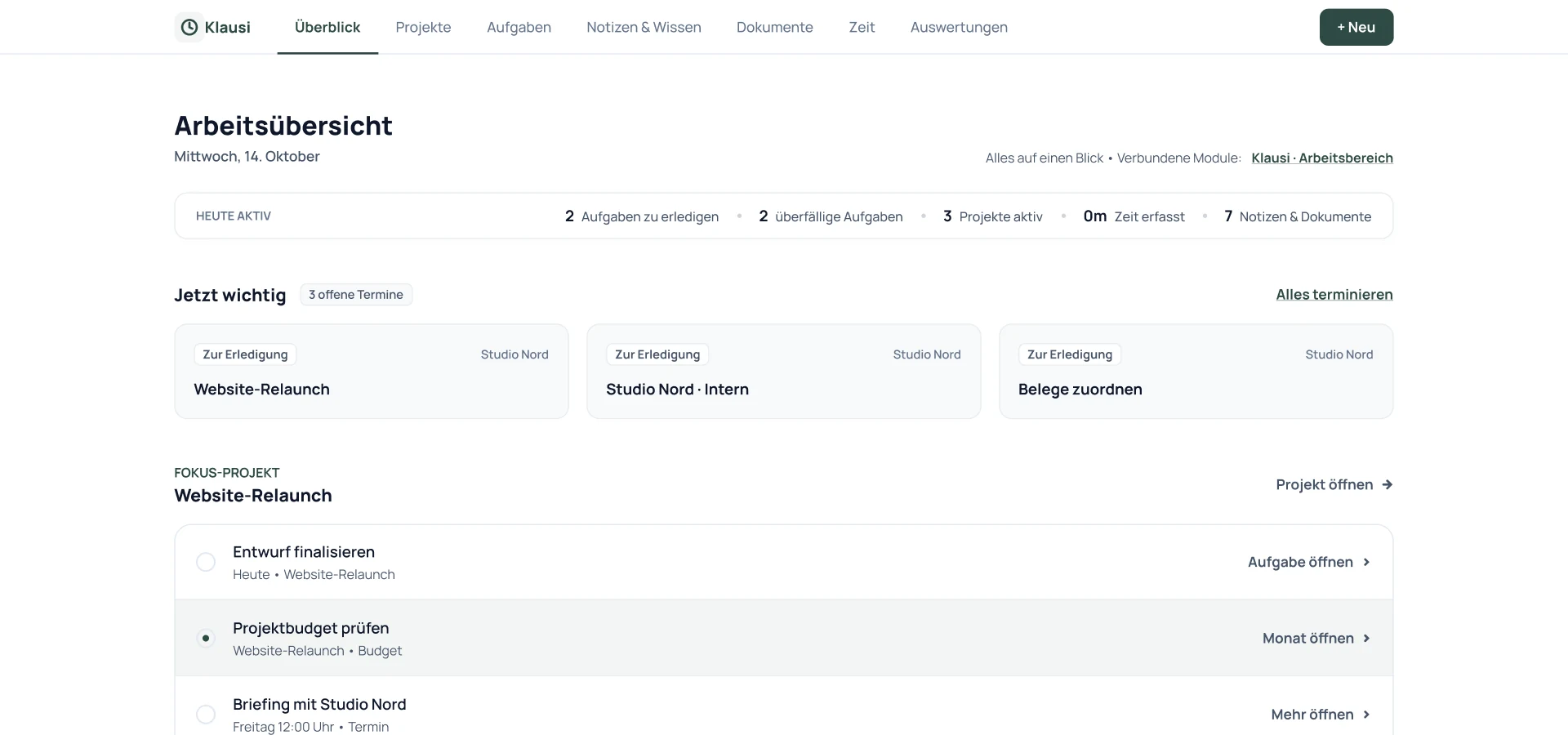
Plan tasks and appointments, watch your budget and bill your work. Everything works together.

Tasks

Every task connects project, client and time tracking. Use AI to turn them into a daily plan.

Time tracking

Start the timer from a task. Then describe what you did and let Klausi write it down.

Project budgets

Hours, costs, receipts and project knowledge in one place. See what’s been used and what remains.

Financial planning

See income and expenses together. Assign receipts, follow invoices and check your annual forecast.

Invoices & e-invoices

Add tracked time and client data to an invoice. Export PDF, XRechnung or ZUGFeRD.

Appointment booking

Share your booking page. Clients choose an available time and book directly.

Travel expenses

Photograph a receipt. AI reads the date, amount and merchant. Review the details and assign it to a project.

AI daily planning

Get a daily plan based on open tasks, appointments and priorities. You choose what to use.

Documents

Keep contracts, briefs and mood boards in the right place. Link files to their project and client.

And more. Explore your complete workflow below.

Your workday. Your money.

Fewer subscriptions.
More left for you.

Tasks, projects, time and clients in one place. Start for free. Choose Pro when you need it.

One Klausi · All connected

Klausi Free

0 €

forever
free

  • Tasks, notes & time tracking
  • Up to 3 active projects
  • 3 booking links

More with Pro · €10 / month

CRM, e-invoices, finances and higher limits. Cancel monthly. VAT included.

All connected areas (17)
  • Daily planning
  • Tasks
  • Notes
  • Time tracking
  • Appointment booking
  • Projects & budget
  • Finances
  • Clients & contacts
  • New business
  • Funnels
  • Creator Site
  • Profile & bookings
  • Travel expenses
  • Documents
  • Voice to Text
  • Live Translation
  • Notion protection
View features and limits by plan →

12 separate tools · Example costs

€267.88

per month · €3,214.56 per year

  • To Do List€5.00
  • Appointment booking€12.00
  • Time tracking€9.99
  • Notes€10.00
  • Accounting€14.90
  • CRM€14.00
  • Live translation€8.99
  • AI voice€20.00
  • Documents€15.00
  • Creator Bio Link€5.00
  • Expense management€6.00
  • Mobile First Funnels€147.00

12 tools. 12 invoices. Plenty of switching.

Example based on the monthly amounts shown. Features and limits vary by tool and Klausi plan. Your actual needs may differ.

From the beta

What early users appreciate about Klausi.

Two perspectives from everyday work.

For the first time, my tax adviser had no follow-up questions.

Julia W. · Copywriter

Travel expenses used to be the last thing I dealt with. Now they get done along the way.

Marco D. · Consultant

One project. Everything included.

Everything comes together.
So you don’t have to piece it together.

From first contact to invoice: see how your work connects.

Example: a website for Studio Nord

PLANNING

Tasks

Capture tasks, notes and ideas. Add them to a project and plan your next step.

  • □ Finalise offerStudio Nord
  • □ Agree on the briefWebsite project

YOUR INBOX · AI OPTIONAL

Klausi helps you think.

Speak, type or add a document. Klausi helps create tasks and gives you a view of projects and finances.

AI on or off: you decide →

BILLING

Finances

See income, expenses, taxes and forecasts. Turn your work into an invoice, including e-invoices.

4.800 €

Income · September

DOING THE WORK

Time tracking

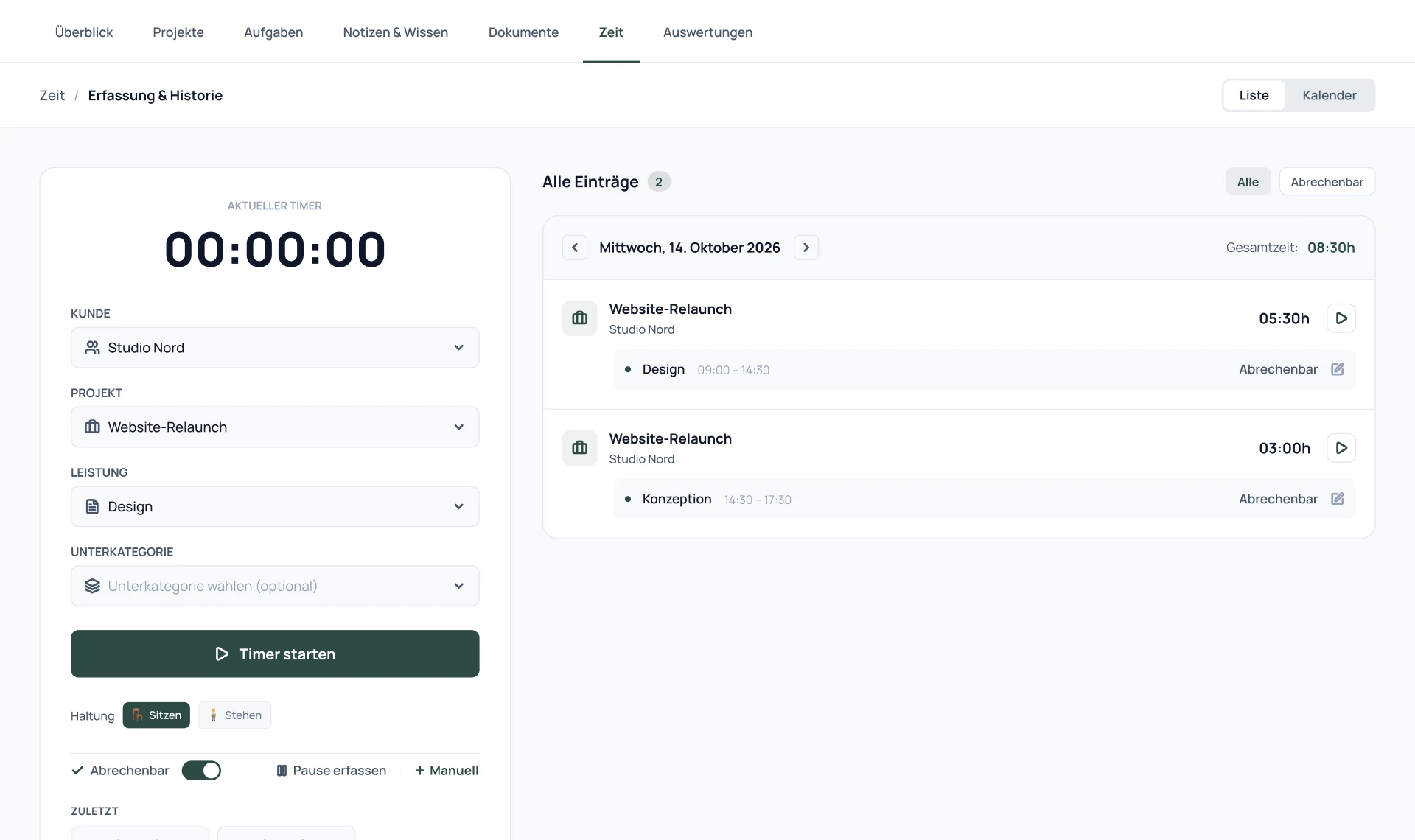
Start the timer, work, stop. Tracked time stays with your selected project.

01:24:00

Website · Studio Nord

  • Layout review1:24 h · today
  • Concept0:48 h · yesterday

PROJECT WORK

Projects

Notes, costs, receipts and whiteboards share one home: your project.

  • Project notesBrief, links & feedback
  • Project costs€4,280 recorded
  • Budget insights68% of budget used
  • Automatic receipt matchingReview and accept suggestions
  • WhiteboardPlan a sitemap together

NEW BUSINESS & FUNNELS

New business

Follow funnel enquiries from first contact to offer.

  • Studio NordOffer sent

YOUR OVERVIEW

Live overview

See hours, workload and forecasts in one place.

Workload
32 / 40 h
Forecast
14.200 €

All figures are example data. Connections work without AI too.

03 / NEW BUSINESS & CLIENTS

Collect enquiries. Follow up on offers.

Build funnels and your own Creator Site. Collect enquiries and manage contacts.

Publish your portfolio

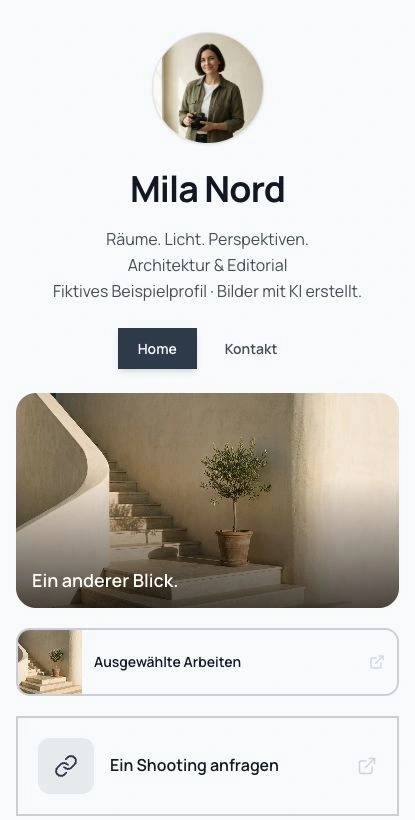
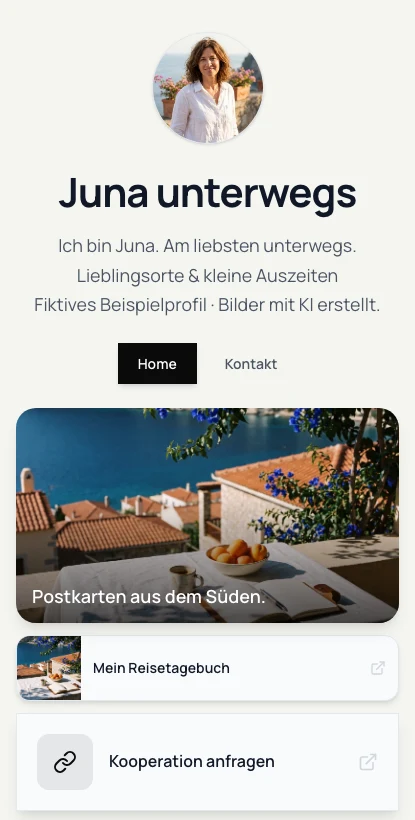
Show your portfolio and services on a public profile. Share the link so potential clients can contact you or book an appointment.

Collect enquiries with funnels

Build a page for your offer. Collect enquiries and see how many visitors become contacts.

Track deals and contacts

Add clients and sales opportunities. Track offer status, value and next steps through to agreement.

Let clients book appointments

Set your availability and share your booking link. Clients pick a time that suits them.

04 / PROJECTS & TASKS

Plan projects. Get tasks done.

Plan tasks, write notes and collect files, all within the project.

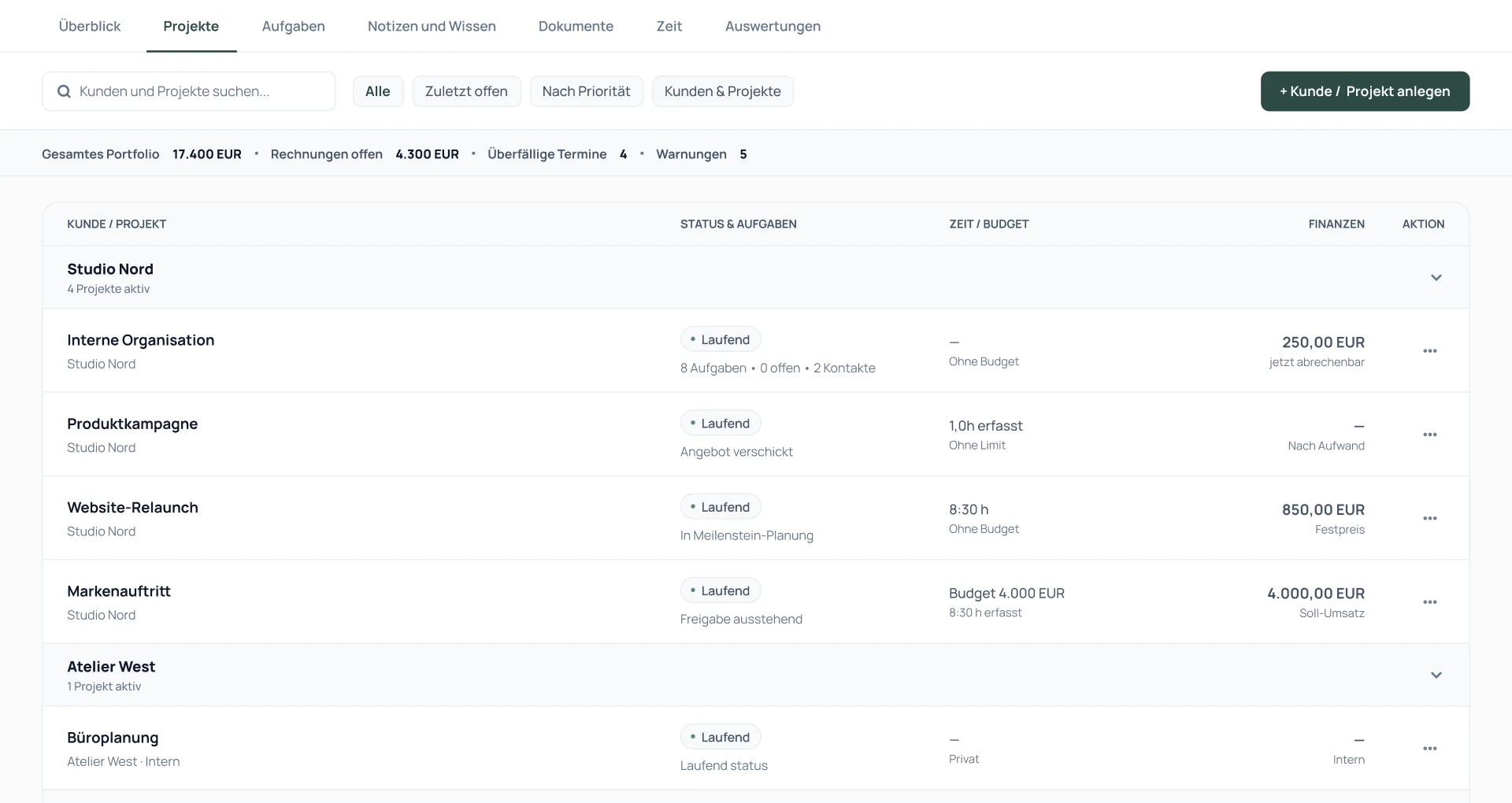
Klausi project overview with example clients and projects: select clients and find tasks and tracked time for each job.
Clients and their projects · Example data

Plan tasks

Create tasks, add deadlines and labels, and assign them to a client or project.

Collect notes and briefs

Write in the block editor. Drag in images, videos and links, then share the note with a link.

Keep files with the project

Keep contracts and mood boards with the project. Add links to Figma, Drive, Frame.io or Notion.

Collaborate on a whiteboard

Sketch ideas with your team or clients. Use sticky notes, arrows and comments in the project.

See connections in Brain

Open the network view to see how clients, projects, tasks and notes connect.

05 / TIME TRACKING & BUDGET

Start the timer. Bill your hours.

Track time by task and project, check budgets and share a live view with clients.

Track time by task

Start the timer from a task. Tracked time stays linked to the project and service.

Describe your work by voice

Say what you worked on. The voice recap adds a description to your time entry.

Check project budgets

Check tracked hours, costs, receipts and remaining budget for each job.

Review and export time

See hours and workload by week. Share reports with clients or export your time entries.

06 / FINANCES & E-INVOICES

Create e-invoices. Assign receipts.

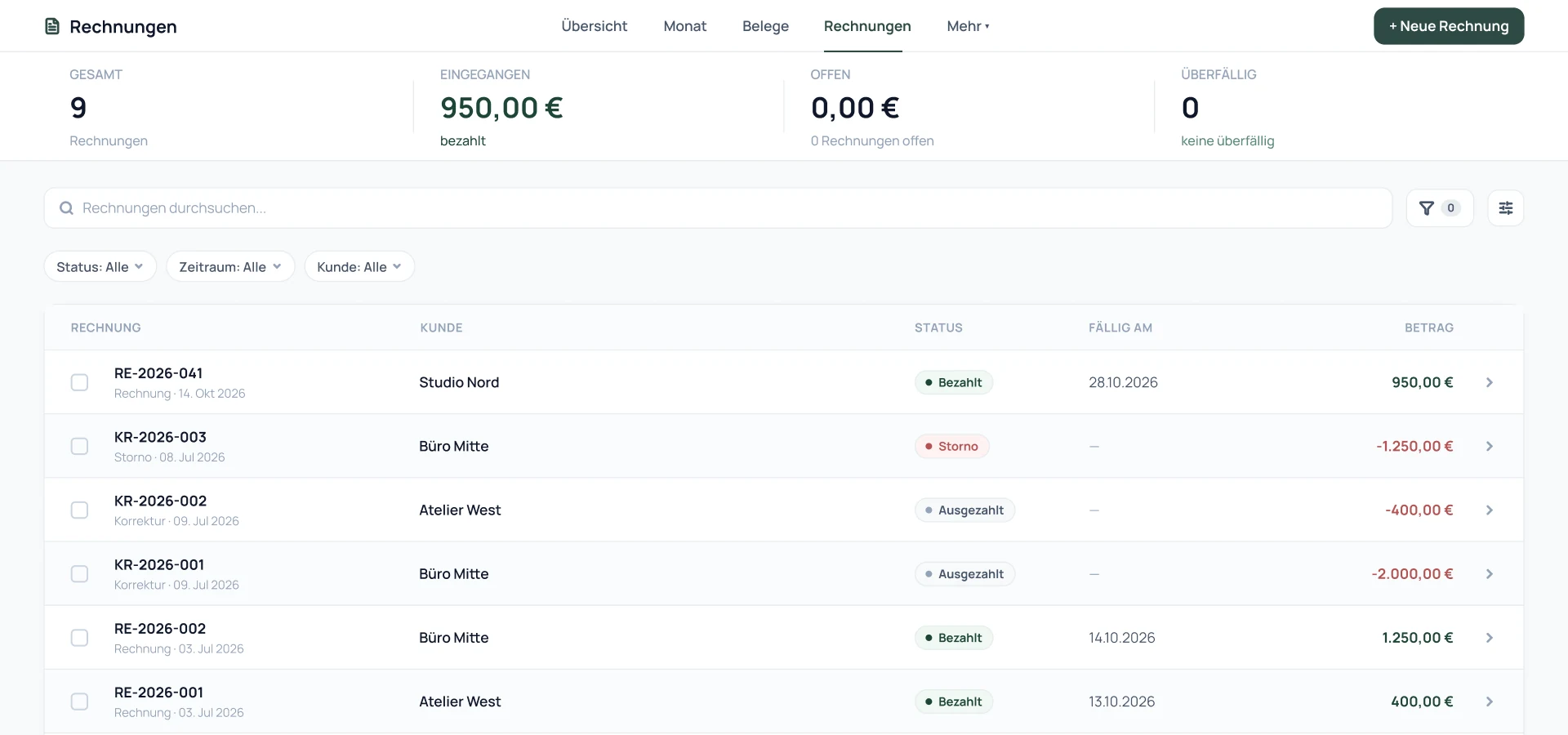
Create offers, invoices and e-invoices, connected to project time and budgets.

Invoices as PDF or XML

Add tracked time or a CRM contact to your draft. Review the items and create a PDF, XRechnung or ZUGFeRD.

Plan income and expenses

Record income, expenses and fixed costs. Plan tax reserves and review monthly or yearly forecasts.

Read receipts automatically

Upload a receipt. Klausi extracts amounts and details and helps assign it to a project.

Assign travel expenses

Photograph a travel receipt. Extract the date, amount and merchant, then assign it to the right project.

Import existing data

Import time entries and client data from other tools via CSV. Start with the data you already have.

DATEV export is planned and not yet available.

Less manual entry

Upload a receipt.
Klausi reads it.

Upload a photo or PDF. Klausi reads the merchant, date and amount. Review the details and assign the receipt.

  1. Upload
  2. Review
  3. Assign

Bring your data with you.

Import time entries and contacts via CSV. Match the columns and review the preview before importing.

Example · Tap to explore

07 / VOICE & AI ASSISTANT

Dictate tasks. Ask about finances.

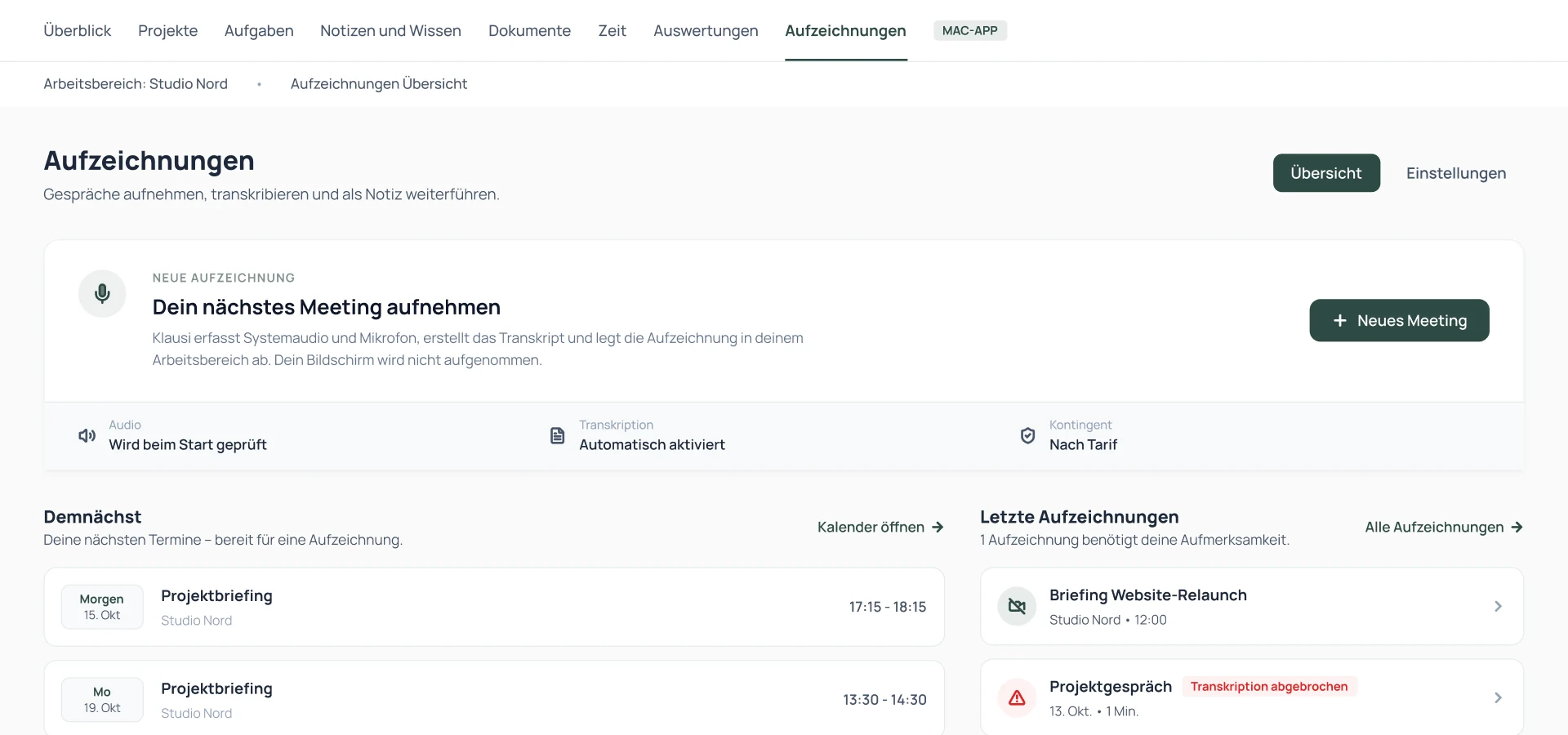
Control Klausi by voice: dictate tasks and notes directly in the desktop app.

Dictate tasks and notes

Speak your thought. Klausi turns it into text and helps keep it with the right client or project.

Get a suggested daily plan

Turn open tasks, appointments and priorities into a suggested daily plan. You choose what to use.

Ask about projects and figures

Ask “How is my month going?” Klausi summarises your project and finance data.

Summarise notes

Shorten long notes, revise text or extract tasks and open questions from a brief.

Switch AI on or off

Choose which AI features to use. Tasks, time tracking, finances and CRM work without AI too.

Artificial intelligence. Your choice.

AI on. AI off.
Your decision.

Prefer to do it yourself? Klausi works either way.

Turn off every AI feature. Tasks, time, finances and CRM work without AI too.

Try both ways of working.

Klausi assistant

Today

Prepare an offer for Studio Nord

Klausi suggests

  • ✓ Finalise the offer
  • ✓ Schedule tomorrow’s follow-up
  • ✓ Start the project timer

Review the suggestions and choose what to use.

AI on: Klausi suggests next steps.

08 / DOCUMENTS & SHARING

Share documents. Control access.

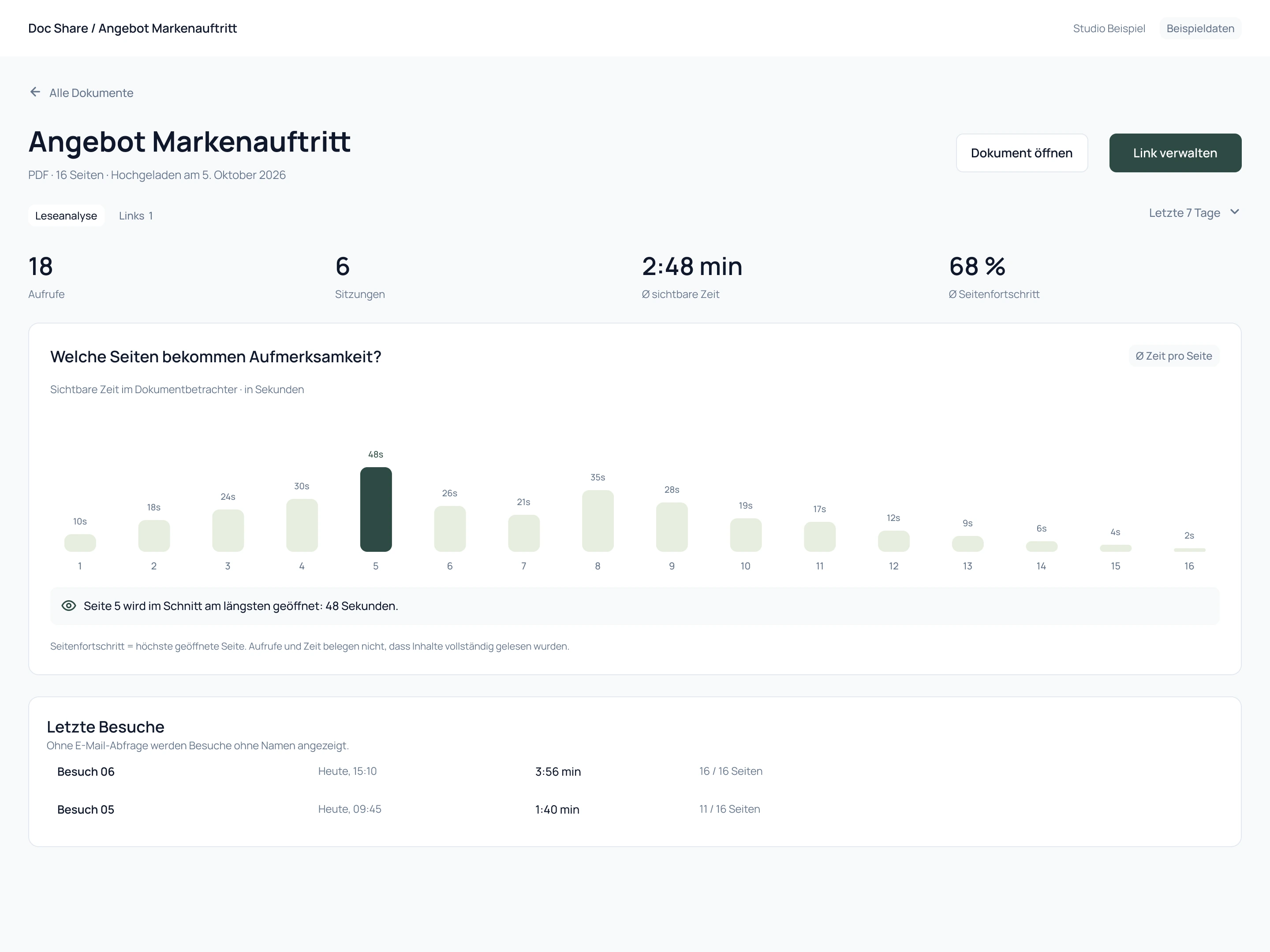
Share documents with a password or expiry date. See views and reading time.

Protect document links

Share documents with a password, expiry date or email gate. See how often and how long they were opened.

Protect a Notion link with a password

Create a kla.to link with a password gate. After entering the password, visitors reach your Notion page.

Translate and caption live

Translate speech live. Your audience reads captions via a link or QR code, with no app to install.

09 / MAC, iOS, CHROME & MCP

Work on your Mac. Start timers in Chrome.

Use Klausi on Mac, start timers in Chrome and connect AI via MCP. iOS is coming.

Use the Mac app

Open your Klausi workspace as a desktop app. Press ⌥K to start voice input.

Use timers in Chrome

Start and stop timers, complete tasks and get focus and break reminders in the browser extension.

Connect Claude and ChatGPT

Connect your AI to Klausi via MCP. Choose which data it can access and which actions it can take.

iOS · coming soon

Your day. Soon on your iPhone.

See today’s tasks, track your time and dictate notes or tasks. That’s the plan for Klausi on iOS.

Not yet available.

Design preview of the planned Klausi iOS app: Today view with daily tasks, an active timer and dictation for notes or tasks.
iOS app design preview

10 / ARCHIVE, HISTORY & HOSTING

Keep your receipts.
Trace changes.

Receipt archive

Keep receipts and invoices together in your finance area.

Change history

The internal audit trail records changes so you can trace what happened.

Hosted in Europe

Klausi hosts your data in the EU. Find privacy and hosting information in one place.

View privacy and hosting →

From first contact to e-invoice

Your next project.
All in one Klausi.

Clients, projects, time and invoices in one place. Try Pro for 7 days, then continue on Free.

No credit card · No automatic subscription

Compare Free and Pro