Time & tasks
Timer, today’s tasks and project filters right in your browser.
 AI image
CHROME EXTENSION
Start tracking time and complete tasks. Right in Chrome, connected to your Klausi project.
Add to ChromeVersion 1.2.0 · No access to websites · With your Klausi account
01 / CHROME EXTENSION
Open the extension and start the timer. Stay in your browser while your time goes to the right project.
01 / YOUR WORK
02 / YOUR TIMER
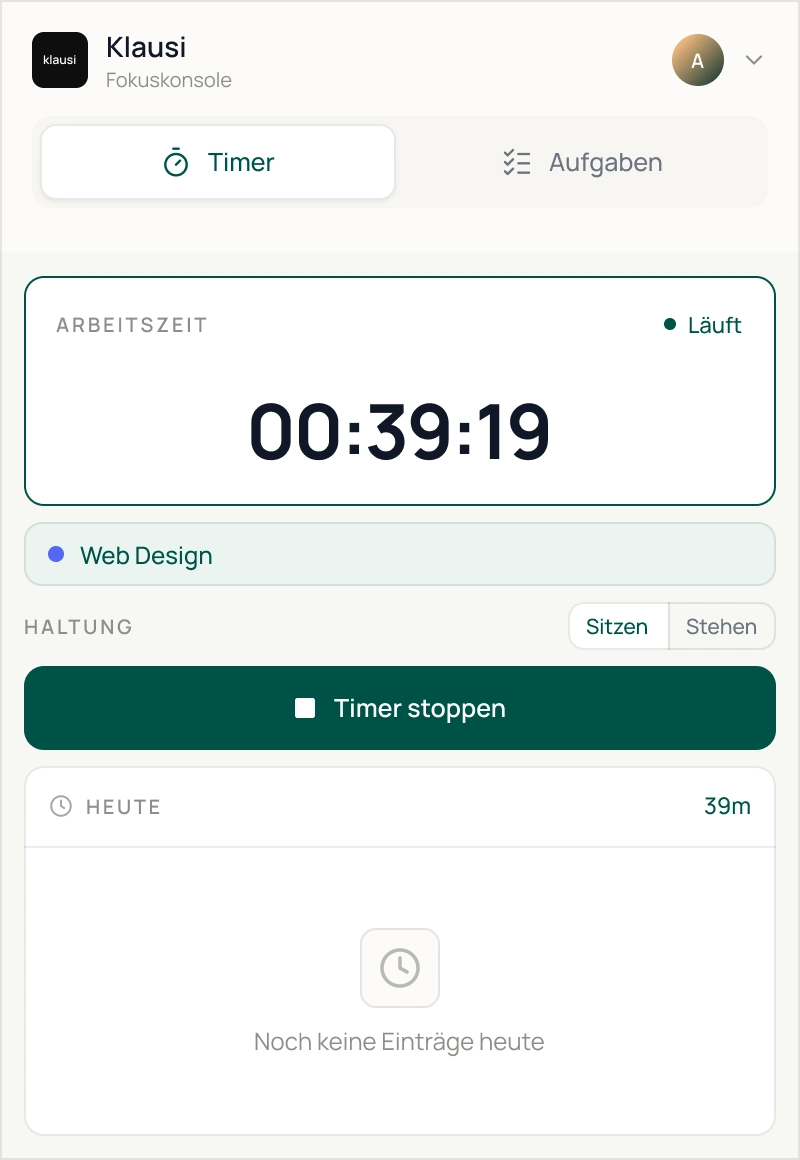
YOUR TASKS · YOUR PROJECT · YOUR TIME
02 / HOW IT WORKS
A clear process. Everything stays connected to your Klausi workspace.
Add Klausi from the Chrome Web Store.
Sign in with your existing Klausi account.
Choose project and service. Manage tasks directly in the popup.
03 / CHROME EXTENSION
The extension supports your work with focus and break reminders. Your browser content stays private.
Timer, today’s tasks and project filters right in your browser.
Keep focus, breaks and posture in mind throughout the day.
Klausi reads neither visited pages, history nor open tabs.
Feature overview
Right in your browser.
RIGHT WHERE YOU WORK
Your timer and tasks, right in your browser.
Add to ChromeYour start
Your Klausi access
1 account
Connect the extension to your existing workspace.
The extension reads neither page content, your history nor open tabs.
Privacy and hostingInstall the extension and connect your existing workspace.
With your existing Klausi account
Frequently asked questions
Yes. The extension connects to your Klausi account so projects, services, tasks, and time entries stay in sync.
No. The extension is free to install from the Chrome Web Store. You can use the features included in your Klausi plan.
Yes. The timer continues in the background and stays in sync with Klausi even when the extension popup is closed.
It does not read website content, browser history, or open tabs. It only uses browser capabilities required for sign-in, sync, reminders, and idle detection.
Version 1.2.0 is live in the Chrome Web Store. Future updates are then distributed automatically through Chrome.